Scratch vs Python: which should your kid learn first?
Last updated: 18 June 2026
Quick answer: For most kids around 9 to 12, start with Scratch. Its drag-and-drop blocks teach how code thinks without typing or spelling errors getting in the way. Once your child is confident and keen to type real code, Python is a friendly, sensible next step.
If your child wants to start coding, you have probably seen two names pop up: Scratch and Python. Both are great. They are just built for different stages. Here is a plain-English look at each, so you can pick a starting point with confidence.
What is Scratch?
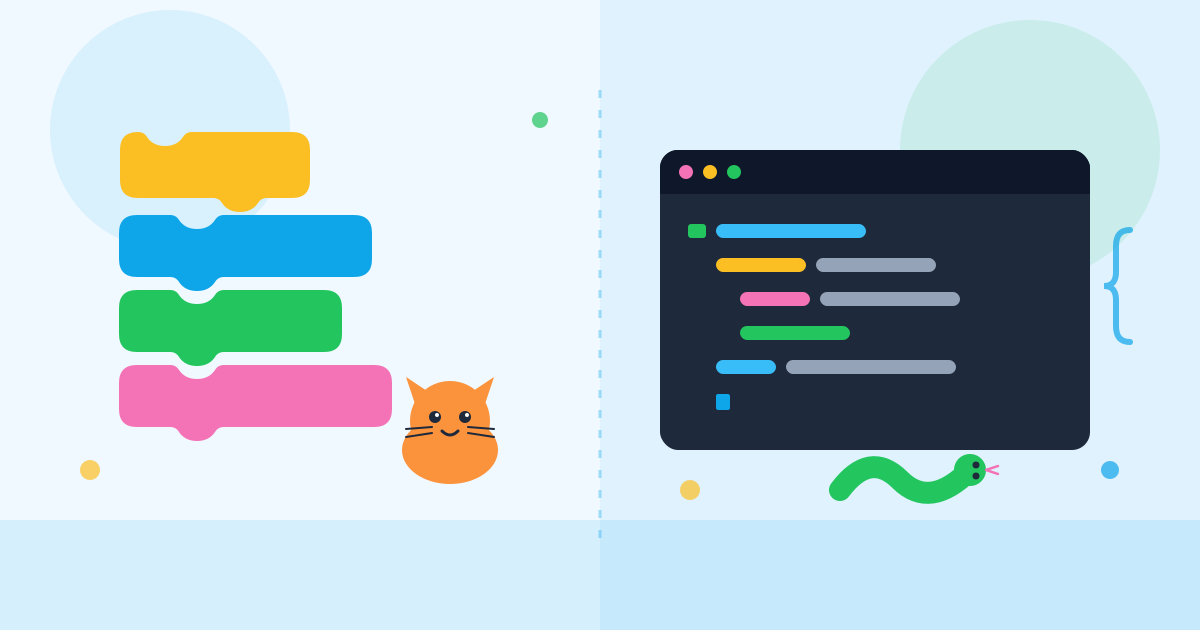
Scratch is a free, visual coding tool made for beginners. Instead of typing, kids drag and snap colourful blocks together, a bit like digital Lego. Each block is an instruction, such as "move 10 steps" or "when the green flag is clicked". Because there is no typing of code, kids cannot get stuck on a missing full stop or a misspelt word. They can focus on the real skill: thinking through the steps to make something happen.
Kids usually make games, animations, and silly interactive stories. It is colourful, forgiving, and quick to show a result, which keeps young learners motivated.
What is Python?
Python is a real, written programming language used by professionals all over the world, from scientists to game makers. Kids type the code themselves, line by line. It is known for being one of the tidier, more readable languages, so it is a common first "typed" language. The trade-off is that spelling and punctuation now matter, so a small typo can stop the program. That is a normal part of learning, and it builds careful, precise thinking.
Scratch vs Python: a quick comparison
| Scratch | Python | |
|---|---|---|
| How you code | Drag-and-drop blocks | Typed text |
| Best starting age | Around 9 to 12 | Around 11 and up |
| Typing needed | Very little | Yes, a fair bit |
| Great for | Games, animations, stories | Real apps, maths, data, more |
| Main strength | Learning how code thinks | Building "grown-up" skills |
Which should my kid learn first?
There is no single right answer, but a simple rule helps. If your child is new to coding, or finds typing slow, start with Scratch. It removes the frustrating bits and lets them enjoy making things straight away. The logic they learn, like loops, events, and "if this, then that", carries directly into Python later.
If your child is around 11 or older, already comfortable typing, and curious about "real" code, you can start with Python or move across once Scratch feels easy. Some kids happily do both for a while.
A gentle first activity at home
- Open Scratch in a web browser and make a cat move and say hello when clicked.
- Change one number and watch what happens. Tinkering is how kids learn.
- Keep early sessions short and playful, and celebrate the small wins.
Safety note: keep these activities screen-based only. If your child later moves on to robots or circuits, those should be done with adult supervision and low-voltage parts only, never anything plugged into mains power.
How Incendio can help
At Incendio STEM Ed, kids learn in live online classes with working engineers, building real games, robots, and connected gadgets they design themselves. We have both no-code game development with Scratch and project-based classes that grow with your child. You can see the full list on our courses page and pick the right starting point together.
Not sure which class fits? Have a look and, if it feels right, enrol when you and your child are ready.
Frequently asked questions
Is Scratch too babyish for older kids?
Not at all. While Scratch suits younger beginners, plenty of teens use it to build surprisingly clever games. The blocks teach real coding logic. If your older child enjoys it, that is a great sign they will take to typed languages like Python soon after.
Does Scratch need to come before Python?
No, it is not compulsory. Scratch simply makes the first steps gentler by removing typing and spelling worries. A confident, slightly older child can start straight on Python. Many kids do well either way, so follow your child's interest and comfort level.
Do these tools cost money to try at home?
Scratch is free to use in a web browser, and Python is free to download and install. So you can let your child experiment at no cost before deciding on any classes. All you really need is a computer and a stable internet connection.